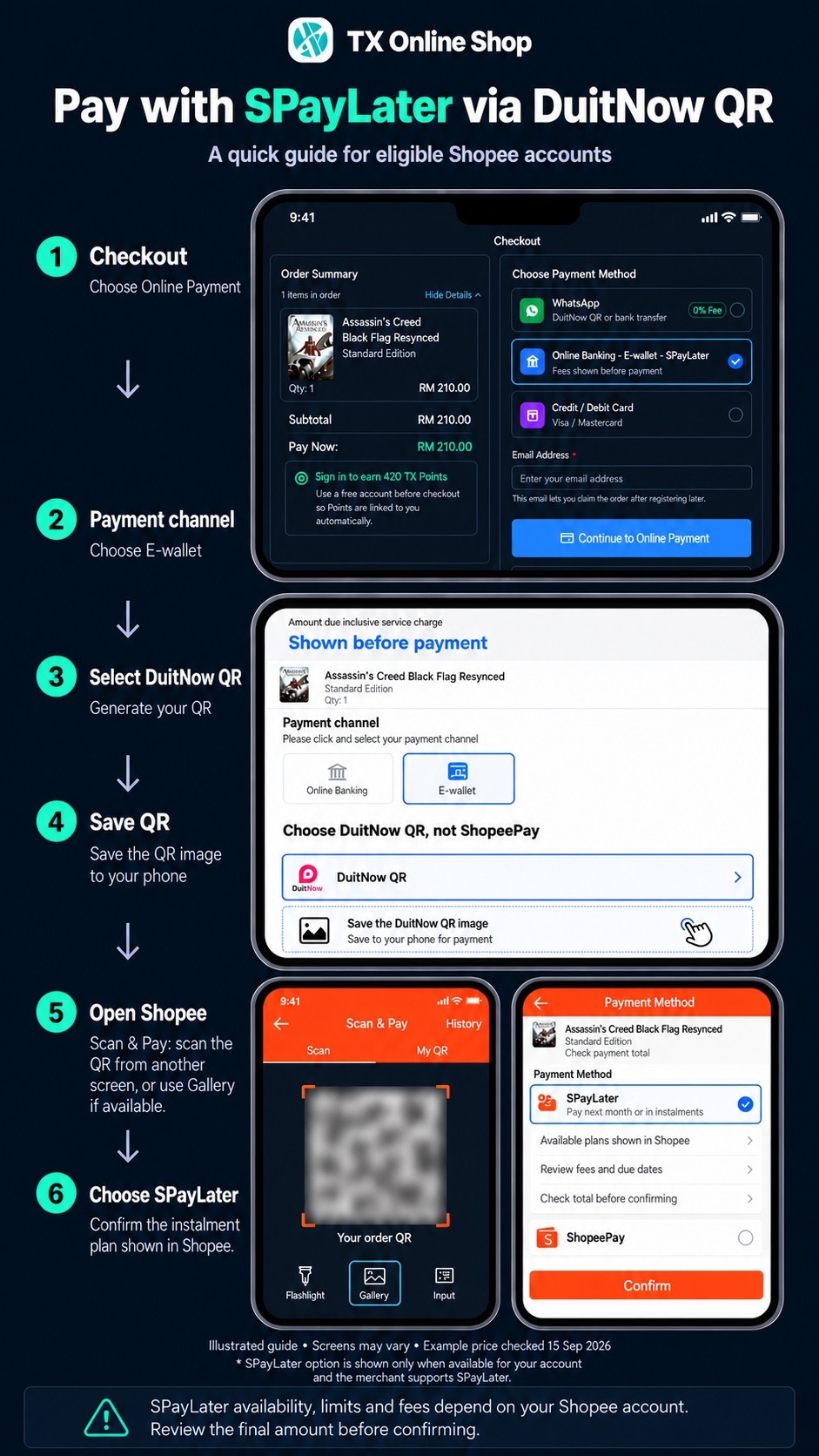
Pay with SPayLater
4 quick steps · via DuitNow QR
1. Website checkout
Choose Online Banking · E-wallet · SPayLater, then Continue to Online Payment.
2. Choose DuitNow QR
Under E-wallet, select DuitNow QR and save your QR.
Do not choose ShopeePay.
3. Open Shopee
Scan & Pay: scan from another screen, or use Gallery if available.
Scan your QR in Shopee immediately after saving it. Do not wait.
4. Choose SPayLater
If offered, review your plan, total and fees, then confirm.
Eligible accounts & transactions only. Gateway and SPayLater fees may apply. Terms
Paid? Return to your order. Still pending? Contact us before paying again. Get help
Illustrated screens · App may vary